Permit plans. Sheets. Working drawings. Read in minutes.
Plan Reader goes through every sheet – pages, handwriting and stamps – and pins each finding to its exact place on the drawing. A fast first read. The decision stays with you.
Hundreds of pages, handwriting and stamps. What gets missed?
A single building or business-licence file can hold dozens of sheets, handwritten additions, stamps from different years and approvals that piled up over time. Manual review takes hours – and one missed detail can delay a permit, create a safety risk or come back as a late comment.
Three steps. One clear file.
- 1
Upload the file
Drag in a PDF or image – or several. You can also photograph a plan on site with your phone; it goes straight into the file and is processed.
- 2
Plan Reader reads and checks
Every part of the sheet is read and cross-checked: structure, areas, details, handwriting and stamps. The result: a sorted list of findings – needs fixing, to review, for information.
- 3
You decide
Click a finding and it lights up on the drawing. Open it at full resolution, add your notes and produce a full report in one click.
Everything you need to read a plan – on one screen
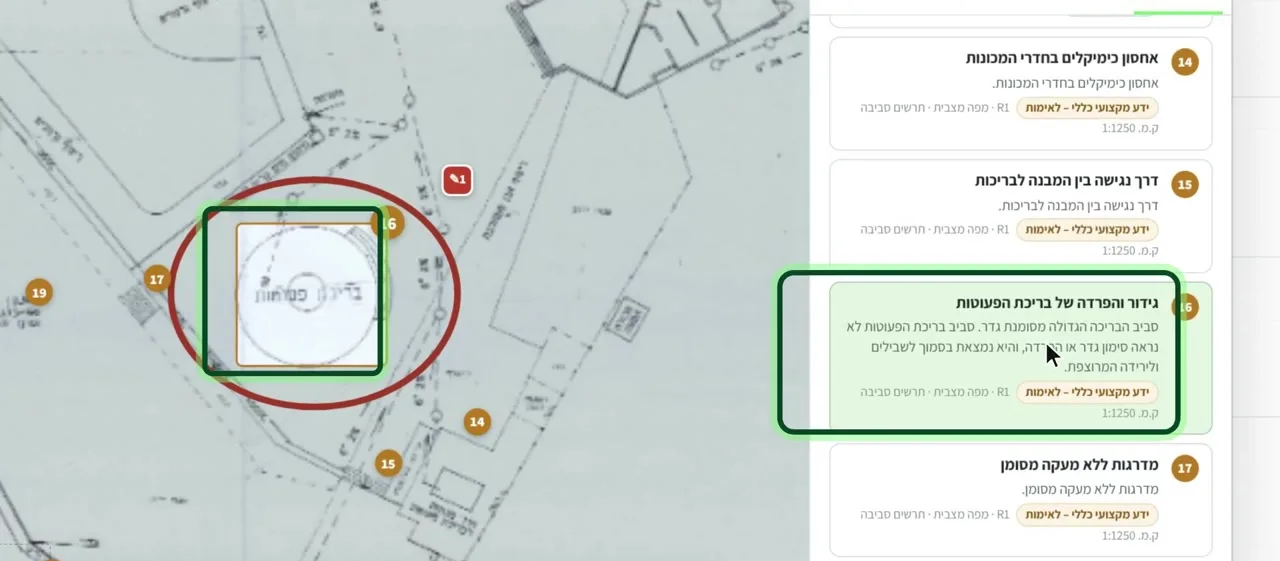
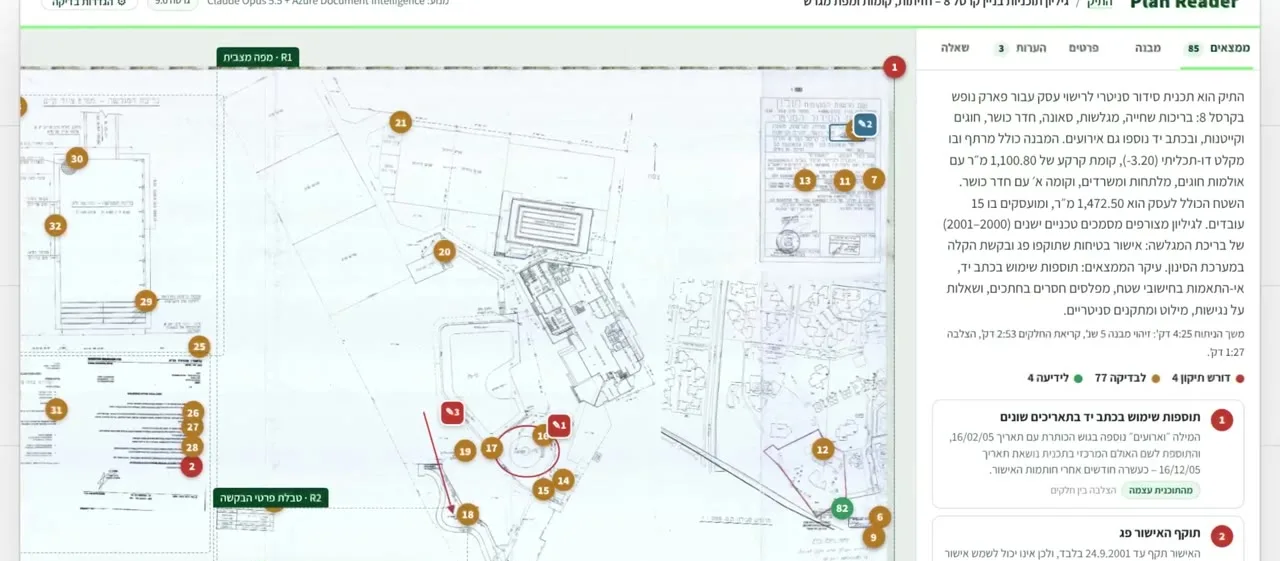
Findings on the drawing
Hover over a finding and it lights up on the drawing, in its exact place on the sheet. No searching.
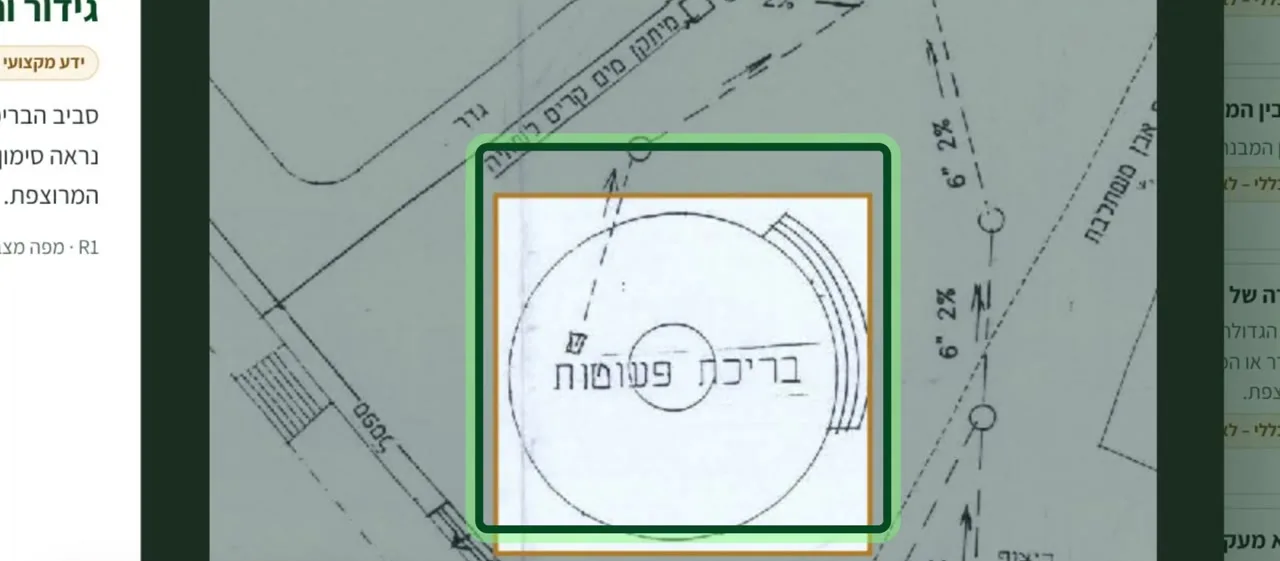
At full resolution
Every finding opens as a crop of the original drawing, with what to check in it.
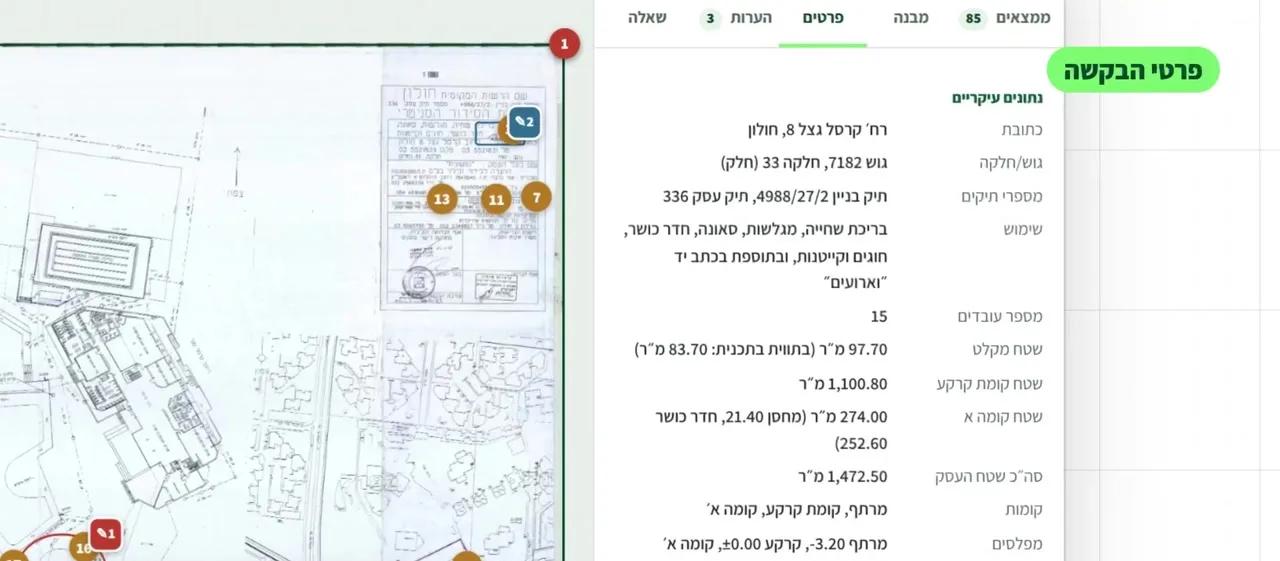
Request details
Address, block and parcel, file number, use, areas, floors, levels and approvals – gathered from the file automatically.
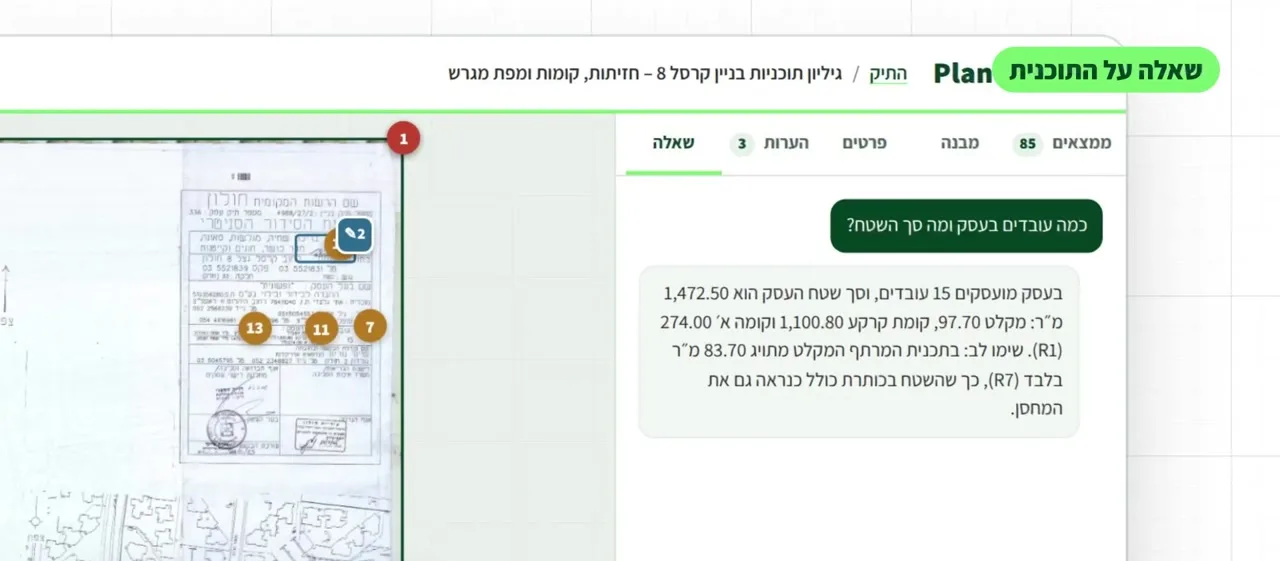
Ask about the plan
Ask in plain language – "How many employees, and what is the total area?" – and get an answer that cites the sheet.
Markups and notes
Pin, pencil, highlighter, circle and arrow – in colour, right on the drawing.
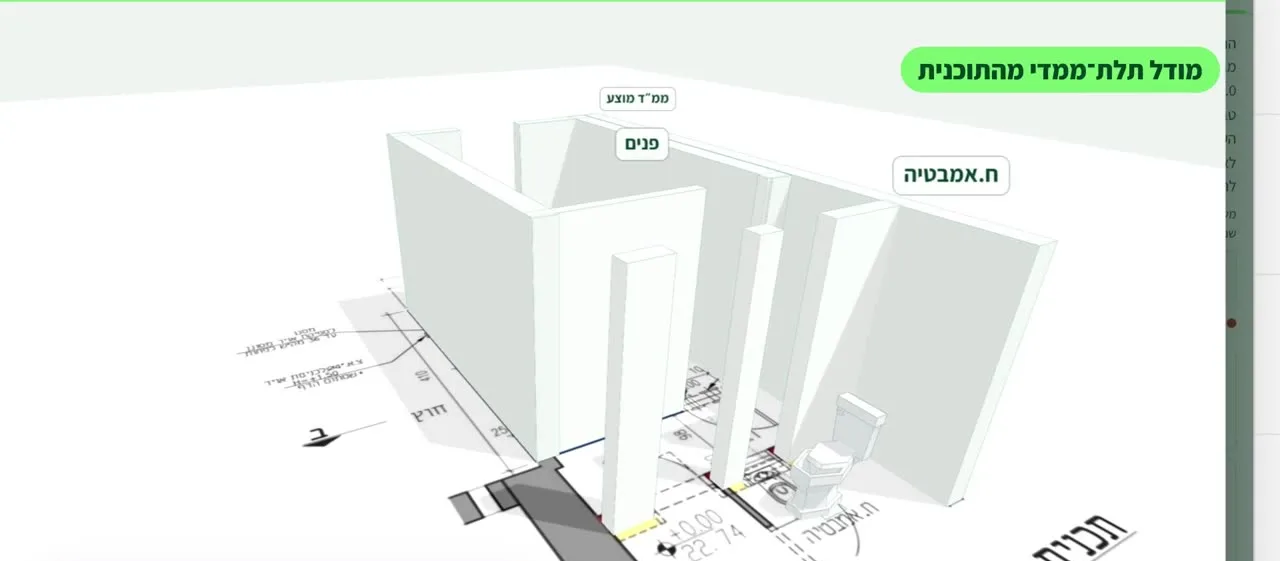
3D model
See the plan from the inside: walls, openings, door widths and turning circles.
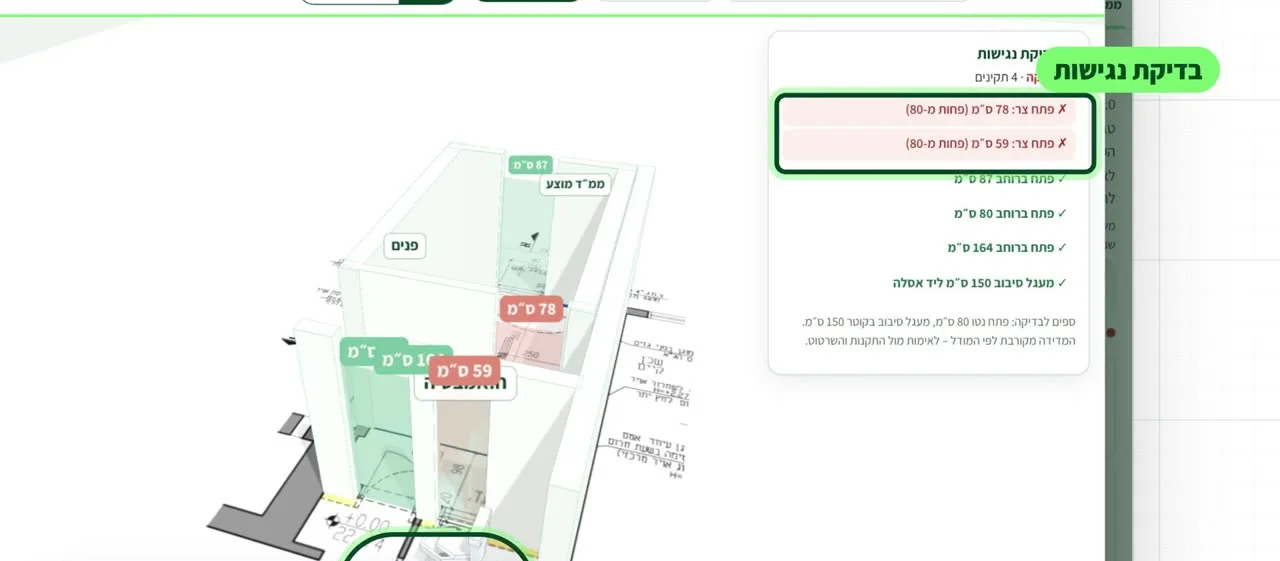
Accessibility check
Corridor and door widths and a 150 cm turning circle – with what falls short flagged.
Version comparison
What changed since the previous version, and which comments were resolved.
Areas and quantities
Area per space, room schedule, doors and windows.
File timeline
Every approval, stamp and handwritten addition – in chronological order.
Comments letter
Findings and missing items become a ready letter in Word or email, with locations marked.
Site check
Photograph on site and compare with what was approved: what matches and what doesn't.
All files in one place
Search by block, parcel, address, owner, file number or date – from any computer or phone.
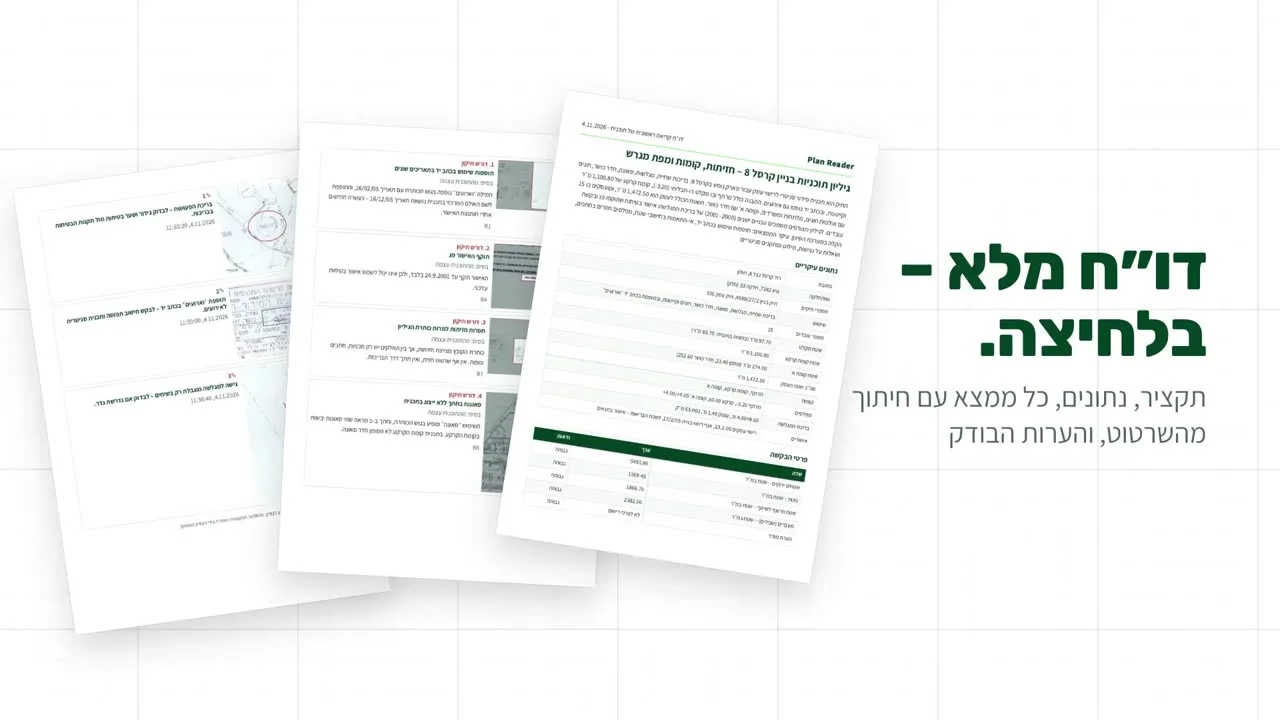
Full report in one click
Summary, data, every finding with a crop from the drawing, and the reviewer's notes.
[N]
findings. Checked.
Every part of the sheet is read and cross-checked. Every finding gets a location, a category and a reference.
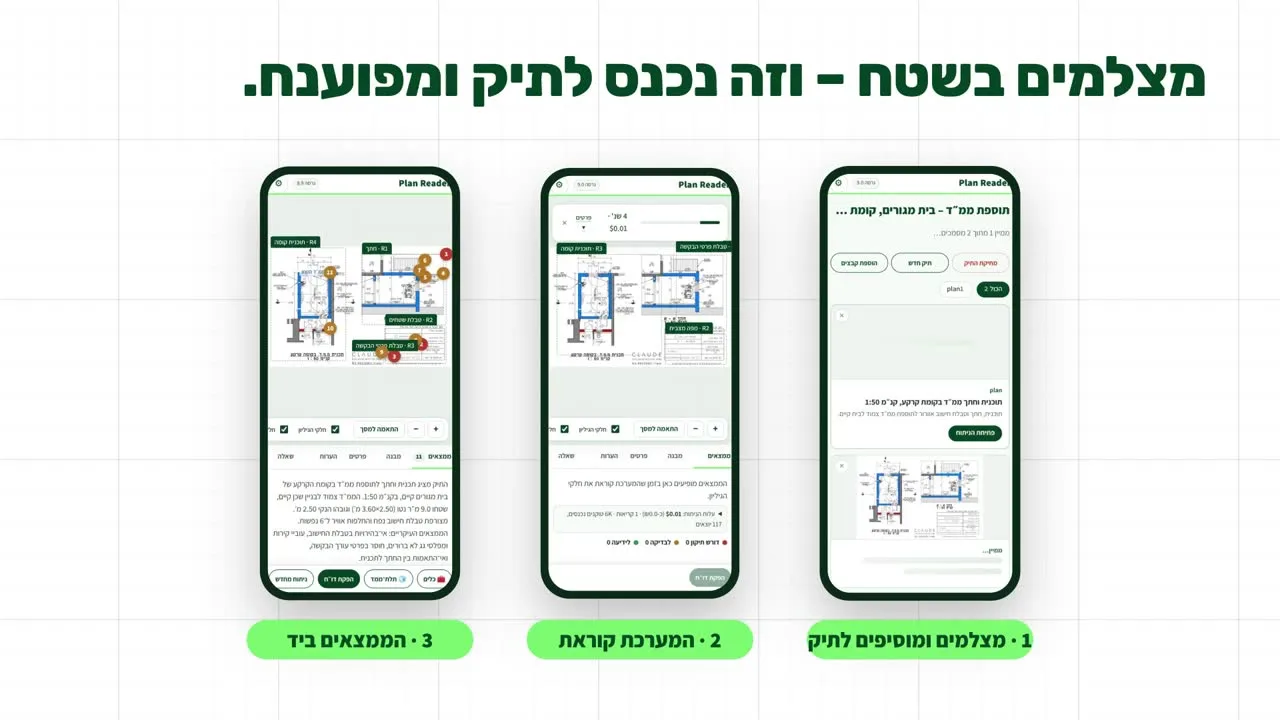
Snap it on site – it's in the file and read.
- 1Photograph and add to the file
- 2Quick read
- 3Findings in hand
For the professionals who read plans every day
A fast first read. The decision stays with the professional.
Plan Reader doesn't replace a reviewer, an architect or a committee. It does the first, tedious read and hands you an organised picture – with a reference for every finding – so your time goes into judgement.
Your plans stay yours
Only crops are sent for analysis
Only crops of the drawing are sent – never the whole file.
Files stay on your side
Files and results are stored in your browser, not on a server, and can be deleted at any time.
Deploy in your environment
For organisations: deployment in your own cloud tenancy or infrastructure.
[CONFIRM BEFORE PUBLISHING]
Questions, answered
Which files can I upload?
PDFs and images – including old scans, handwritten additions and phone photos. Several files can go into the same case.
Does Plan Reader approve or reject plans?
No. It surfaces findings for review; the decision always rests with the professional.
Does it read Hebrew and handwriting?
Yes – printed Hebrew, handwritten notes and stamps, pinned on the sheet.
What happens to our data?
See "Your plans stay yours" above. For organisations we fit the deployment to your information-security requirements.
How do we start?
Book a 30-minute demo on one of your real files, followed by a short pilot.
How much does it cost?
[PRICING – per user or per file. Contact us for a quote.]
Let Plan Reader read your next file.
A 30-minute demo on one of your real plans. We'll get back to you within one business day.